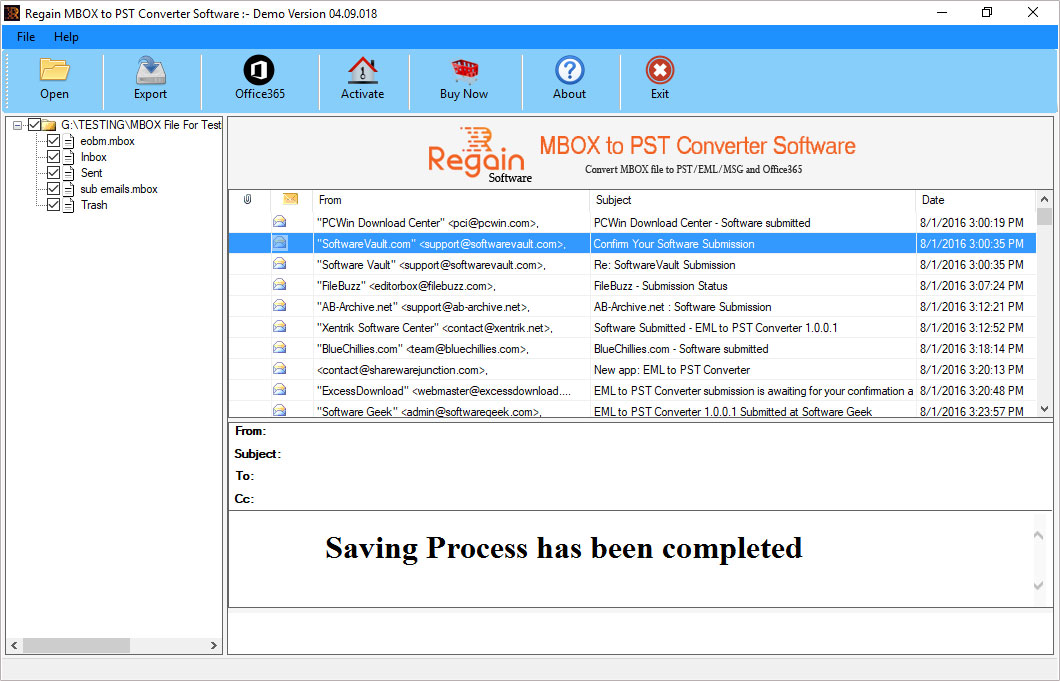
View Screenshots of Step by Step Guide to Convert MBOX files to Outlook PST
Steps to Convert MBOX Files to Outlook PST format
Step 1:
Download, Install, and Run MBOX to PST Converter Software.
Click on "Browse" Button to Select "MBOX file" for conversion.
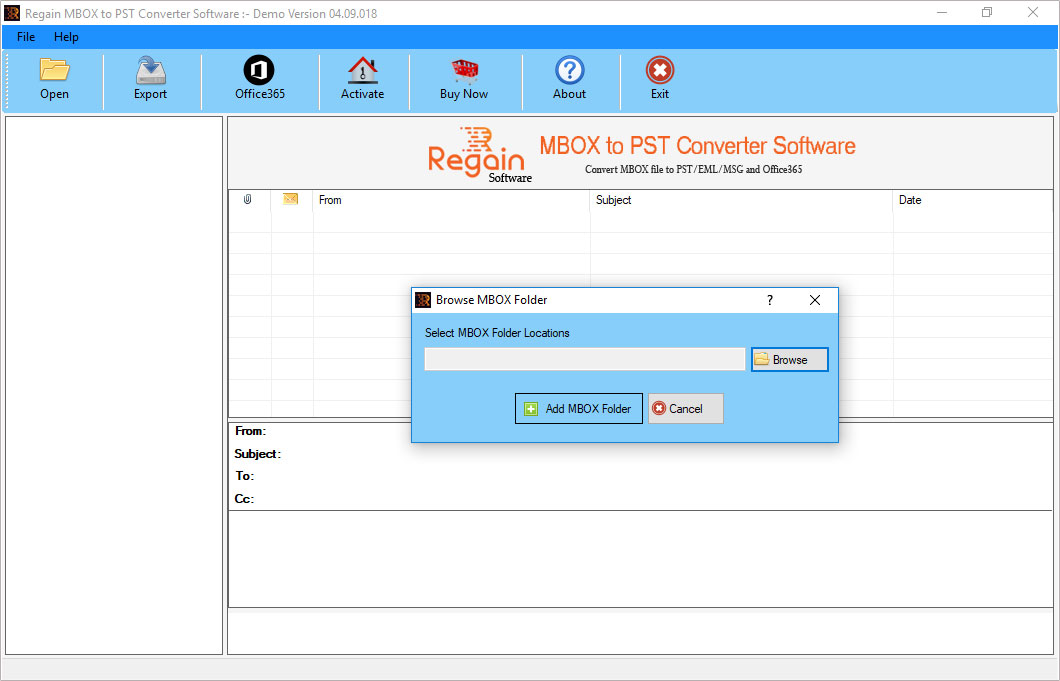
Step 2:
Browse and Select MBOX file for Scanning
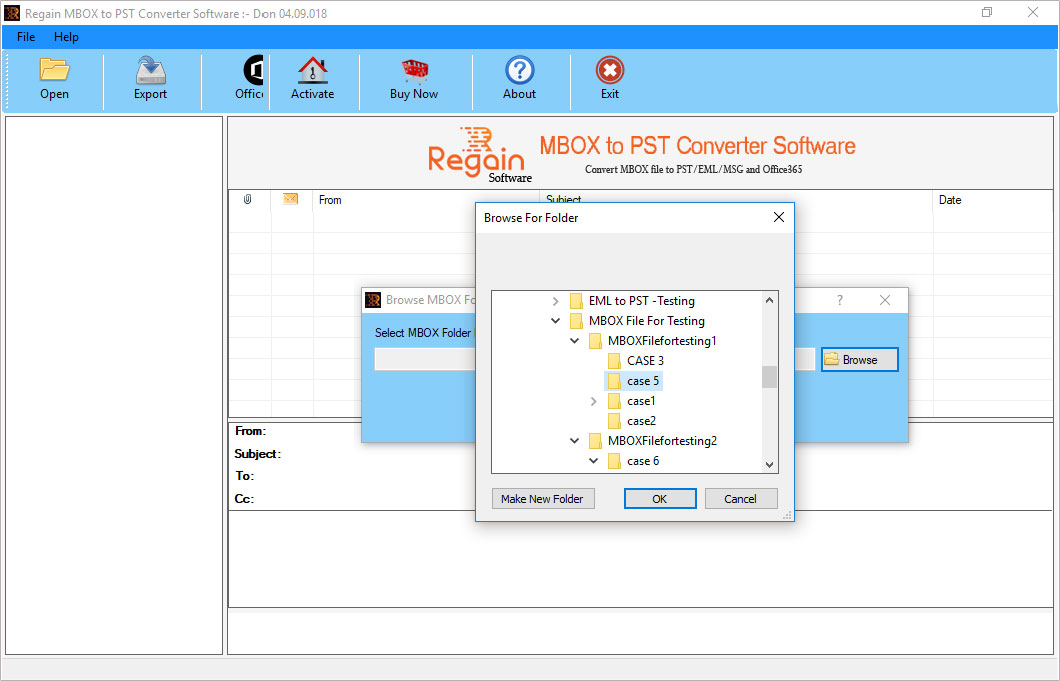
Step 3:
After Complete the Scanning, Software shows a Preview of MBOX files on Software Interface
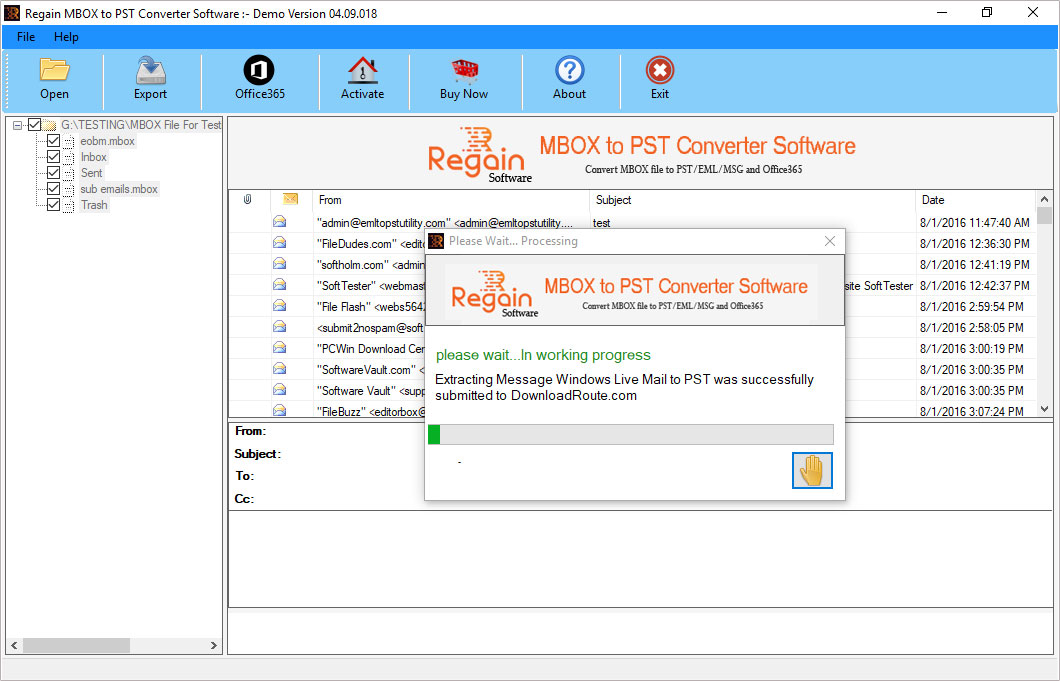
Step 4:
Click on "Export" Button and then Select the File Format in which you want to convert MBOX files
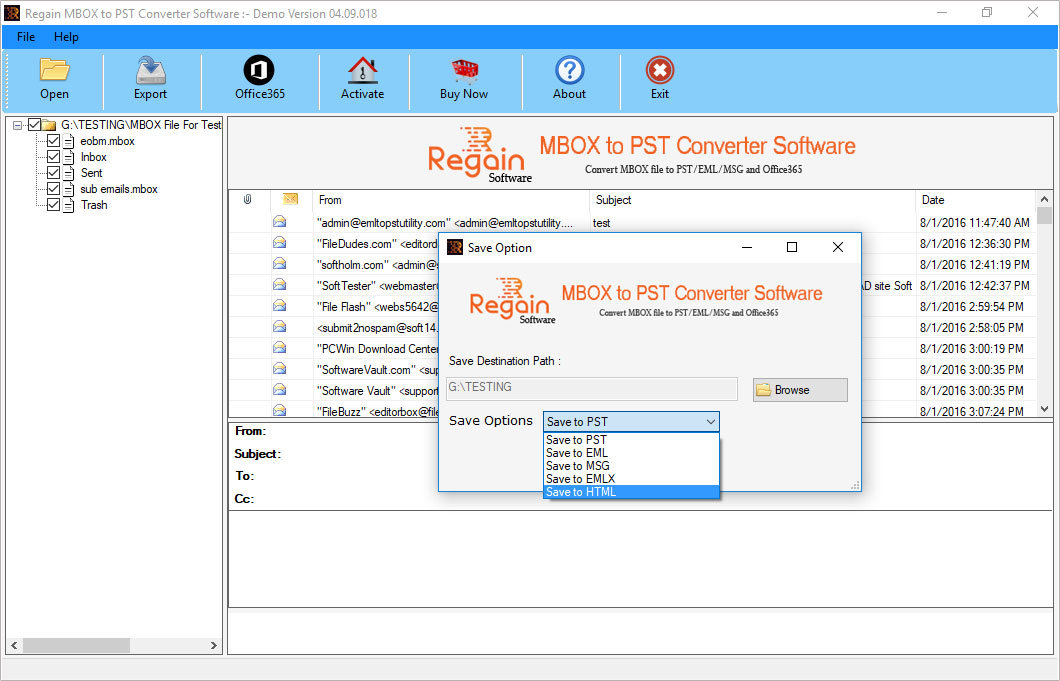
Step 5:
Successfully Convert MBOX file to Outlook PST file in just few easy steps.